
About the project
Nyshporka helps you search for ancestors in archival documents — parish registers, confession lists, revision lists of the 18th–19th centuries. But it doesn't work like an ordinary program.
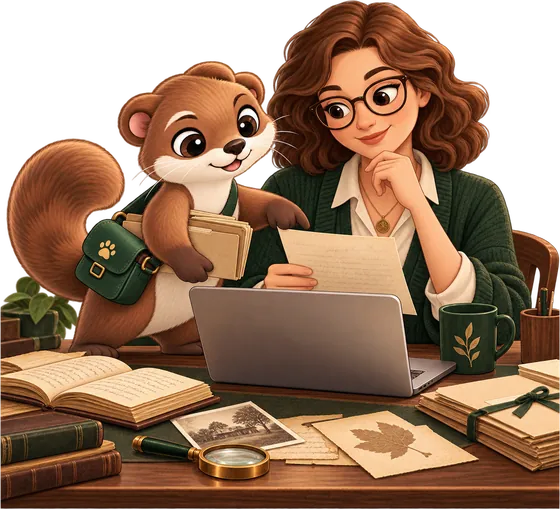
The assistant does the work, you decide
You have probably heard of AI assistants such as Claude or ChatGPT. Usually people chat with them. But an assistant can also be allowed to work on your computer: open folders, run programs, save the results — and ask your permission every time. An assistant like this is called an agent.
Nyshporka is made for exactly this. You write in plain words: “here is a folder of scans of the Chechelnyk parish registers — find everyone named Kovalskyi”. The assistant reads the handwritten folios, looks for the surname and brings back the lines it found — right on the scan, with the folio number.

Whether it is your family is for you to decide. In the same way, you decide what to order from the archive and whether to share what has been read with others. The assistant shows; it doesn't draw conclusions for you.
What Nyshporka gives the assistant
On its own, an AI assistant doesn't know the archives and can't read an old manuscript. Nyshporka gives it:
- Knowledge of where things are — archive guides, fond inventories, lists of villages and parishes. So that the question “what is there about my village” gets an answer, not a guess.
- The ability to read handwriting — three models of our own, trained specifically on Ukrainian, Moldovan and Polish archives: Pysar and Diak read Cyrillic, Skryba reads Latin script.
- Memory — what has already been looked through and what has been found, so that next time you don't leaf through the same folios.
- Rules for honest work — “not found” always comes with an explanation of how many folios were looked through. Because without that, “there's nothing” often means “nobody actually looked anywhere”.
Why this is a different approach
An ordinary program can do exactly what was built into it: so many buttons, so many possibilities. Nyshporka instead gives the assistant separate skills — find a file, read a folio, find a surname, record a finding — and the assistant combines them into whatever your particular question needs.
So you can ask “make a table of all the marriages in this village in the 1820s” or “see which other files in this fond mention our village” — even though nobody made a separate button for that. And the smarter assistants become, the more Nyshporka can do — even without an update.
What you need
- A computer with Windows, macOS or Linux.
- Nyshporka itself — free and open source.
- An AI assistant that can work on a computer: Claude Desktop (requires a Claude Pro or Max subscription) or Codex (works with a ChatGPT subscription). Step by step, with no commands — “Install and connect an assistant”.
Your scans go nowhere. Everything runs on your computer. Without an assistant, Nyshporka also has an ordinary browser window for looking at the guides, what has been read and what has been found. But the way from “where to look” to “here is your ancestor” is meant to be walked together with an assistant.
Nyshporka Online
This site is the online part of Nyshporka: the app, the documentation and shared services. The first of them is Supriaha.
Supriaha
Supriaha is what villagers called pooling their oxen to plough what none of them could manage alone. Here people pool what has been read: a machine reads an archival book once, and everyone can use it.
It is a store of what has been read, not a file-sharing site. Scans never come here — only the text the machine has read travels, together with the folio numbers.
The text was read by a machine and contains errors. It is a draft for searching, not a publication: once you find a surname, look at the folio itself in the source. That is why pages for individual folios don't open here — 650 thousand pages of machine text would harm both us and those who search.
Texts are published under the licence chosen by the person who contributed them — by default CC0-1.0 (no restrictions). The terms of the scan source are a separate field on the book's catalogue entry, and they apply to the images, not to the text.
A contribution appears in the catalogue straight away after the automatic checks, marked “not checked”. This is deliberate: someone who has shared what they read should see their contribution today, not in a week. Checking by eye happens in a separate queue.
If a text infringes your rights or the terms under which the scans were made, write to [email protected], giving the reference code of the file and the page address. We will take the publication down until the matter is resolved.
“Nyshporka” and “Supriaha”, the logo and the mascot are the project's marks. You are free to talk about them, link to them and write “found with Nyshporka”. Naming your own application, site or service this way, running a group or channel on the project's behalf, or registering these names as trademarks or domains requires the author's permission. Rules for using the name.
Nyshporka is a one-researcher project, open source under AGPL-3.0. Code · app · email.